




As order volumes, products, customers and delivery runs increase, stock becomes harder to control, warehouse workflows slow down and delivery planning becomes more complex. Supply’d connects orders, inventory, fulfilment and delivery so your team can reduce manual work and keep products moving with greater accuracy.

Supply’d ERP connects customer orders, purchasing, inventory, warehouse picking, packing and delivery in one operational flow. Every order remains connected to the stock, batch, customer and delivery information behind it, giving your team clearer visibility and stronger control from order capture through to proof of delivery.


Supply’d ERP connects customer orders, purchasing, inventory, warehouse and delivery in one system. Orders drive fulfilment, inventory updates as work happens and every product remains visible from receiving through picking, packing and delivery.


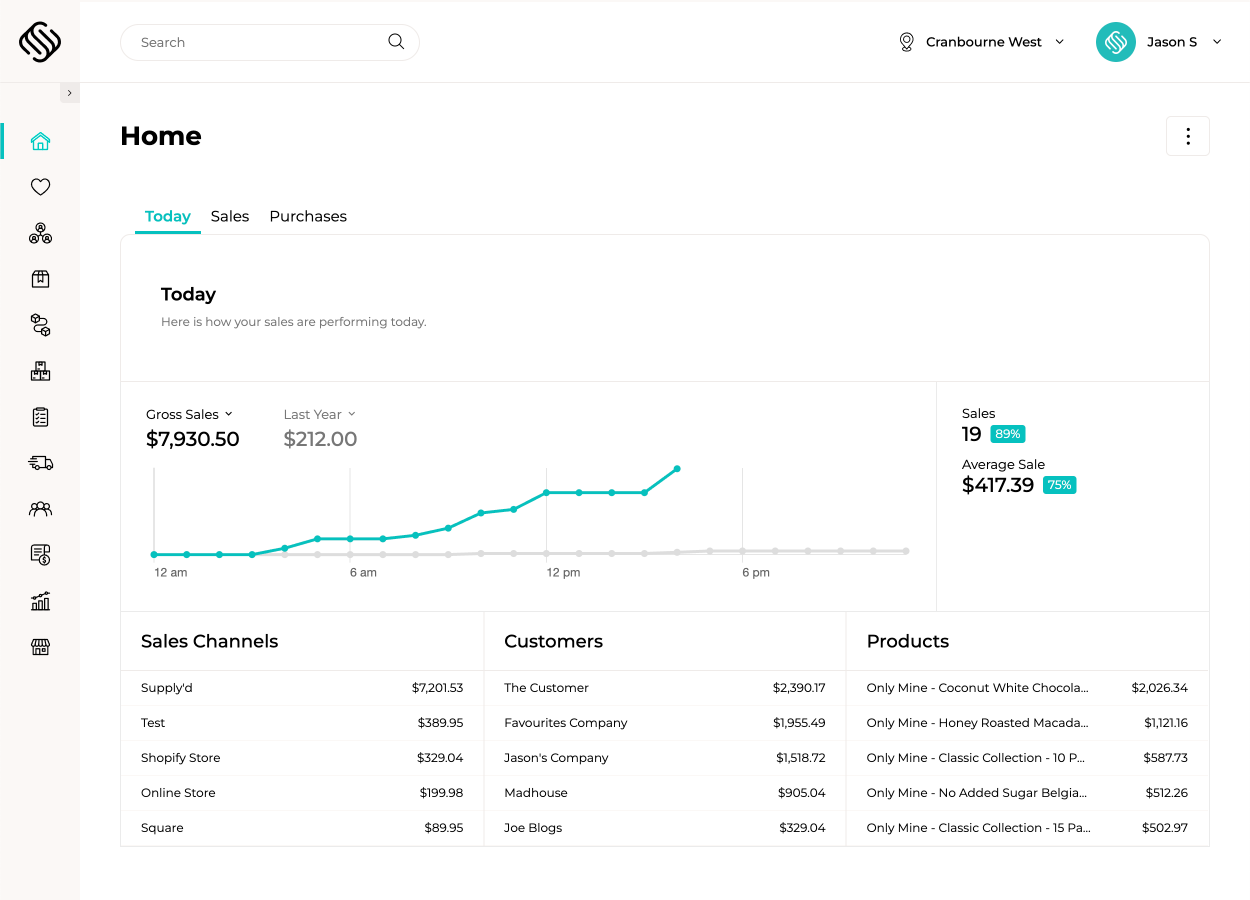
Supply’d ERP brings orders, purchasing, inventory, warehouse, production, delivery and reporting into one connected platform, giving every team the information and workflows it needs to fulfil orders accurately and protect margin.
Bring wholesale, ecommerce, retail, sales-rep and manually entered orders into one connected workflow. Supply’d applies each customer’s products, pricing and ordering rules automatically, while Supply’d Lite gives wholesale customers a simple way to order directly into Supply’d ERP.
Explore Sales Order ManagementGive every customer the right products, pricing, ordering rules and account support. Supply’d connects customer management, sales reps, quotes, standing orders and price lists directly to order fulfilment, so what the sales team promises is what the warehouse receives.
Explore Customer Management
Guide warehouse teams through single, cluster and wave picking using scanners, product images, batch selection and live order instructions. Supply’d helps reduce unnecessary movement, picking errors and delays while inventory updates as each task is completed.
Explore Warehouse Management

Turn completed orders into practical delivery runs using customer time windows, vehicle capacity, zones, depots and driver requirements. Supply’d can optimise routes, assign vehicles and capture proof of delivery, signatures, photos and temperatures where required.
Explore Delivery ManagementUse sales demand, current inventory, open orders, minimum stock, supplier lead times and purchasing rules to recommend what should be ordered. Supply’d helps buyers maintain availability without relying on manually rebuilt purchasing spreadsheets.
Explore Purchase Management
Track supplier costs, customer pricing, production costs, freight, discounts, write-offs and sales performance across products and channels. Supply’d helps teams understand which customers, products and routes are contributing to margin and where profitability is quietly leaking away.
Explore Business Intelligence

Supply’d Intelligence turns operational data into action. It forecasts demand, recommends purchasing, reads incoming orders and supplier invoices, plans production and optimises delivery within the workflows your team already uses.
Explore Supply'd Intelligence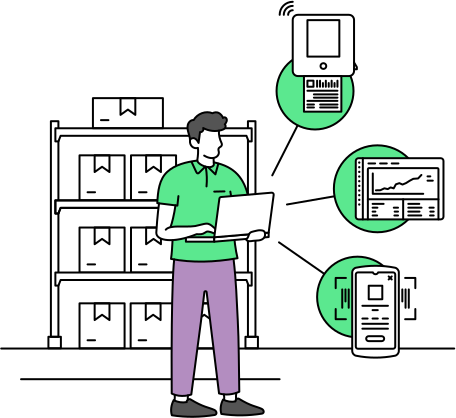
Supply’d works from receiving to the warehouse, production area and delivery vehicle. Connect PDA scanners, tablet scanners, scales, label printers, pack stations and mobile devices to guide receiving, production, picking, packing, stocktakes and delivery.

Implementation is tailored to the size and complexity of your operation. Choose structured remote onboarding or deeper planning, data support, onsite training and go-live assistance through our Discovery & Implementation Program.
Explore ImplementationSupply’d ERP runs the operational workflows behind orders, purchasing, inventory, production, warehouse and delivery. It connects with supported accounting, ecommerce, point-of-sale and shipping platforms so information can move through the business without replacing every existing system at once.











Supply’d combines order management, inventory, warehouse, production and delivery in one connected platform. That gives growing distributors the flexibility to manage complex fulfilment workflows without stitching together separate systems for every operational stage.

Explore how Supply’d ERP could connect orders, purchasing, inventory, warehouse, production, delivery and reporting across your business.
Book a demoYes. Supply'd can bring together orders entered by your team, sales reps, wholesale customers, ecommerce platforms and supported ordering services. Each order follows one connected workflow through inventory, picking, packing, delivery and reporting.
Yes. Customers can use Supply'd Lite to order using their own product range, pricing, standing orders and ordering rules. Orders flow directly into Supply'd ERP, reducing email, phone orders and manual entry.
Yes. Smart Order Inbox can read incoming customer orders and turn supported email or document formats into draft sales orders for review. This helps reduce rekeying while keeping your team in control before an order is confirmed.
Yes. Supply'd supports customer groups, price tiers, customer-specific pricing, contract pricing and controlled product ranges. The correct products and prices are applied whether the order comes through Supply'd Lite, a sales rep, ecommerce or your internal team.
Yes. Customers can be assigned to sales reps or account owners, with contact information, quotes, orders, pricing, activity and account history held in one place. Sales reps can also place orders on behalf of customers using the correct commercial rules.
Yes. Supply'd supports recurring standing orders and customer or product-specific ordering rules. This helps distributors manage regular customer demand while protecting warehouse, production and delivery schedules from late changes.
Yes. Ordering rules can include minimum order quantities or values, carton quantities, pack sizes and quantity multiples. These rules can be applied when customers order and when internal teams create sales or purchase orders.
Yes. Supply'd can record customer credit settings and help teams control whether orders can proceed when an account is overdue, over its approved limit or placed on hold.
Yes. Supply'd supports multiple warehouses, stores, production areas and inventory locations within one connected platform. Teams can see where stock is held, manage transfers and maintain clearer visibility across the business.
Yes. Supplier batches and expiry dates can be recorded during receiving and followed through inventory, production, picking and delivery. This improves traceability and helps teams understand where affected or expiring stock is held.
Yes. Supply'd can guide warehouse and production teams to use stock according to first-expired, first-out rules. This helps reduce avoidable waste and maintain stronger control over perishable inventory.
Yes. Supply'd supports scanner-based receiving, stocktakes, transfers, write-offs, batch selection, picking and packing. Teams can use supported PDA or tablet scanners to record work directly in the warehouse.
Supply'd supports single-order picking, cluster picking and wave picking. Warehouse teams can work from scanner-guided instructions, product images, bin locations, batch rules and live order priorities to reduce unnecessary movement and picking errors.
Yes. Picked goods can move through packing workflows where staff verify quantities, cartons, batches and order contents before dispatch. Actual picked quantities can also update the final order where configured.
Yes. Supply'd can allocate products to cartons and pallets and support barcode and SSCC-related workflows where configured. This helps distributors maintain clearer control over packed goods and outbound freight.
Yes. Supply'd can build delivery runs using customer time windows, vehicle capacity, depot locations, delivery zones and driver requirements. Routes can then be reviewed, adjusted and assigned before dispatch.
Yes. Delivery workflows can capture signatures, photos, delivery notes, temperatures and other required fields. Completed delivery information remains connected to the customer and order record.
Yes. Customers can have preferred delivery days, time windows, zones, instructions and route requirements. These settings can be used when orders are planned and delivery runs are created.
Smart Purchasing considers sales demand, open orders, current inventory, minimum stock, supplier lead times, order multiples and production requirements to recommend what should be purchased. Your buying team remains in control of reviewing and approving purchase orders.
Yes. Supply'd supports recipes, sub-recipes, roasting, blending, repacking, assembly and other value-added workflows. Materials are consumed as work is completed, finished goods become available for orders and costs, batches and yield remain connected.
Yes. Retail, ecommerce and wholesale orders can operate within the same connected platform. Supply'd integrates with supported ecommerce and point-of-sale systems so each sales channel can draw from the same operational workflows and inventory.
Yes. Supply'd integrates with supported platforms including Shopify, WooCommerce, Square, Shippit and Starshipit. EDI and API services can also be used where more complex order or fulfilment integrations are required.
Supply'd is designed to run the operational side of the business, including orders, purchasing, inventory, production, warehouse and delivery. Financial information can then be sent to supported accounting platforms such as Xero and MYOB, allowing your finance team to retain its existing accounting workflow.
Yes. Supply'd can report on sales, cost and margin across customers, products, groups, channels and time periods. This helps teams understand which relationships and ranges are growing profitably and where discounts, freight, write-offs or cost changes are affecting margin.
Yes. Supply'd supports multiple warehouses, locations, departments, production areas and user permissions within one connected platform. This gives head office central visibility while allowing each team or location to manage the workflows relevant to them.
Supply'd is cloud-based and can be used across computers, tablets and supported mobile devices. Distribution teams may also use PDA scanners, tablet scanners, connected scales, barcode printers, label printers, pack stations and driver devices across receiving, warehouse, production and delivery workflows.
Implementation can include operational discovery, customer and product data migration, pricing and ordering-rule setup, warehouse configuration, integration planning, production setup, hardware deployment and staff training. Rollout can also be phased by warehouse, sales channel, location or operational priority where appropriate.