






Madhouse Bakehouse
All-Australian wholesale bakery.
View case study
Supply’d Intelligence works within the workflows your team already uses rather than operating as a separate chatbot or reporting tool. It reads incoming documents, analyses demand and operational data, and prepares practical recommendations across sales, purchasing, production and delivery.

 Powered by Supply'd Intelligence
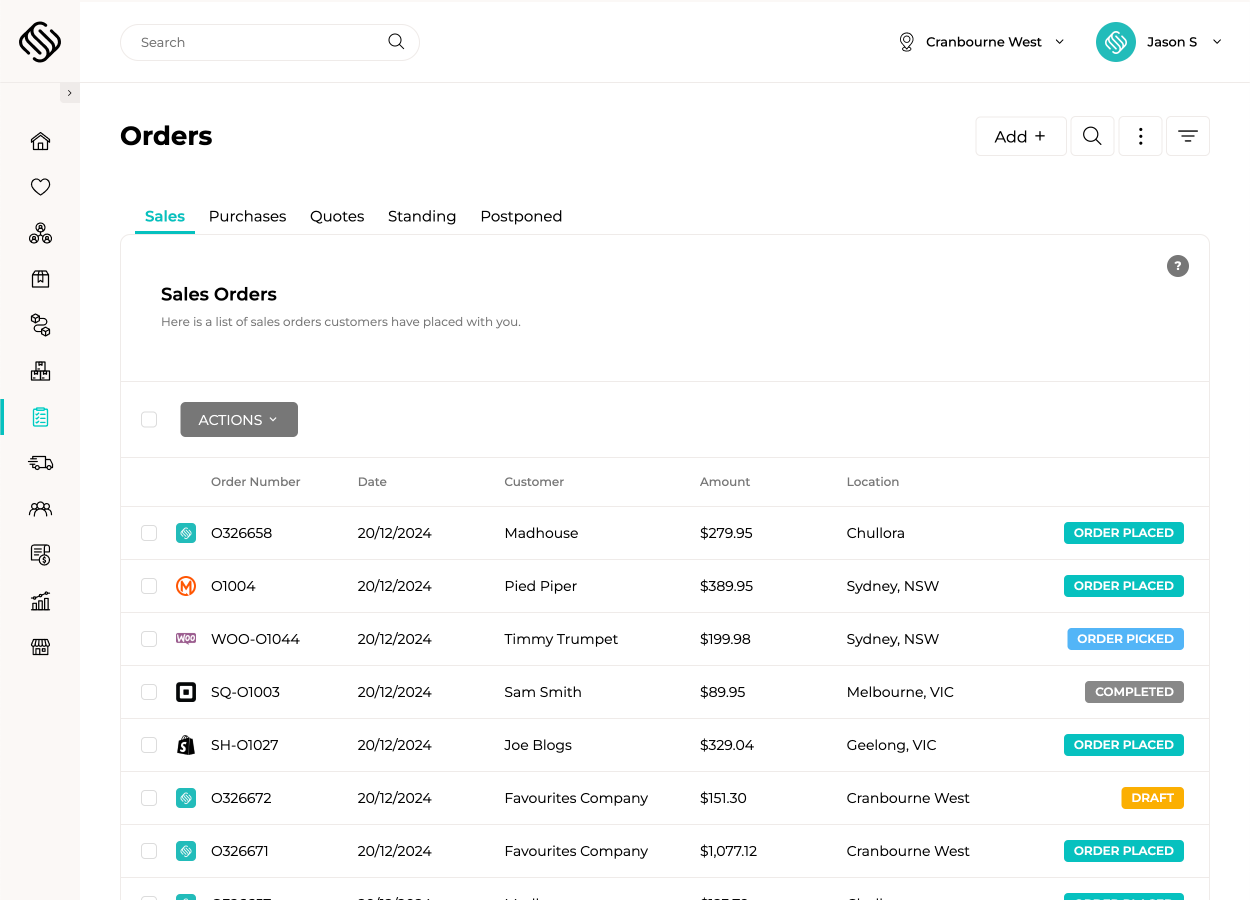
Customers email their purchase orders to your Smart Order Inbox, where Supply’d Intelligence reads the document and identifies the customer, products, quantities, pricing and delivery information. A sales order is created ready for review, reducing manual entry while keeping your team in control before the order enters fulfilment.
| Description | Qty | Amount |

|
||

|
||
|
|
||
|
|
||
|
|
||
Powered by Supply'd Intelligence
Upload or email supplier invoices and let Supply’d Intelligence extract the supplier, invoice details, products, quantities, pricing and charges. Supply’d compares the invoice with the purchase order and stock received, highlighting quantity or price discrepancies before the expense is approved. It can also help update future purchasing costs and allocate landed costs using the connected transaction data.
 Powered by Supply'd Intelligence
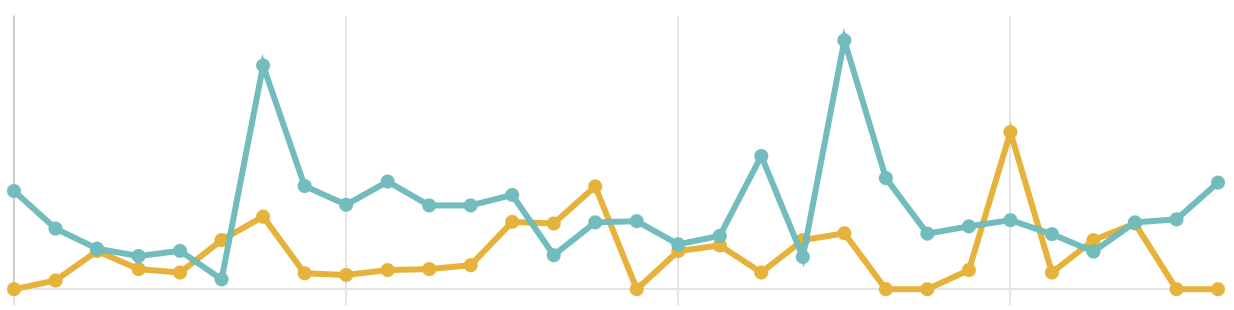
Choose trend-based forecasting or use Supply’d Intelligence to consider wider demand signals such as weather, seasonality, public holidays and school holidays. Forecast sales and usage across future days, weeks or months, helping your team understand expected stock coverage and prepare for changing demand rather than relying only on what sold last week.
Powered by Supply'd Intelligence
Supply’d Intelligence combines forecast demand with stock on hand, incoming purchase orders, supplier lead times, minimum holds, purchasing multiples and other maintained requirements. It recommends what to order from each supplier and can identify stock available at another location before suggesting a new purchase. Your team can review, adjust and send the proposed purchase orders from the same workflow.
Powered by Supply'd Intelligence
Bring together customer orders, delivery dates, minimum finished-stock requirements, current inventory and forecast demand to recommend what should be produced. Supply’d Intelligence includes the required sub-recipes and intermediate products, giving production teams a sequenced plan of what needs to be prepared before finished products can be completed.
Powered by Supply'd Intelligence
Automatically build delivery routes across one or multiple vehicles using order locations, delivery windows, vehicle capacity, expected stop durations, customer opening hours, driver breaks and traffic. Your team sets the operational constraints, and Supply’d Intelligence calculates an efficient route before assigning each run to drivers.

Your team chooses when to use Supply’d Intelligence for Smart Purchasing, production planning and route optimisation. Supply’d prepares the result using live operational data, while users review and adjust it before continuing. Semi-automated tools such as the Smart Order Inbox and invoice scanning reduce repetitive entry while keeping each result visible for human review.

Supply’d Intelligence uses your business activity to improve recommendations and automation within your own account. Your operational data and account-specific learning are not shared with other Supply’d customers, and the insights produced from your business are used only to support your own team.

Explore how food manufacturers, bakeries, wholesalers and retailers use Supply’d ERP to run their operations.
Book a demoSupply’d ERP is built around the workflows food manufacturers, distributors and retailers rely on every day.
Supply’d is built around the way food and retail businesses actually operate. We combine deep industry understanding with connected technology to deliver software that improves control, reduces manual work and connects teams across the operation.
Supply'd Intelligence is a collection of intelligent automation and forecasting capabilities built directly into Supply'd ERP. It helps food businesses capture orders and invoices, forecast demand, plan purchasing and production, and optimise delivery routes.
No. Supply'd Intelligence works inside the operational workflows already used across Supply'd, including sales orders, purchasing, production, inventory and delivery management.
No. Supply'd Intelligence is embedded within practical ERP workflows rather than operating mainly as a conversational chatbot. It prepares orders, analyses demand and recommends operational actions using the data held in Supply'd.
Yes. Supply'd Intelligence is designed around the purchasing, production, inventory, expiry, delivery and demand-planning requirements of food manufacturers, wholesalers, distributors, bakeries, retailers and related businesses.
Human in the loop means users remain involved in initiating, reviewing and continuing intelligent workflows. Supply'd prepares recommendations or draft records, while your team reviews and adjusts the result before proceeding.
Most intelligent workflows are initiated by a user. Your team chooses when to run Smart Purchasing, production planning or route optimisation, then reviews the result before continuing.
Document-processing workflows such as the Smart Order Inbox and supplier invoice scanning can process incoming documents automatically or semi-automatically, while keeping the resulting records visible for human review.
Yes. Users can review and adjust proposed purchase orders, production plans, delivery routes and other intelligent results before continuing the workflow.
The Smart Order Inbox reads customer purchase orders sent by email and prepares sales orders using the customer, product, quantity and delivery information identified in the document.
Yes. Customers can send supported purchase order documents to the Smart Order Inbox for processing.
Yes. Supply'd Intelligence can read supported PDF purchase orders and extract the information required to prepare a sales order.
Depending on the document, Supply'd Intelligence can identify the customer, purchase order number, products, quantities, requested delivery information and other order details.
Supply'd can use maintained customer and product relationships to help identify the correct products when processing incoming purchase orders.
It prepares the sales order for review. Your team can confirm or adjust the customer, products, quantities, pricing and delivery information before the order continues into fulfilment.
Yes. It reduces the need for employees to manually copy customer purchase orders into the ERP line by line.
Yes. Supplier invoices can be uploaded or emailed for supported document-scanning and extraction workflows.
Supply'd Intelligence can identify information such as the supplier, invoice number, dates, products, quantities, prices, taxes and other charges from supported invoices.
Yes. Supply'd can compare invoice information with the related purchase order.
Yes. Invoice quantities and charges can be compared with the products and quantities recorded during receiving.
Yes. Supply'd can highlight differences between the expected purchase price and the amount charged on the supplier invoice.
Yes. Supply'd can identify differences between quantities ordered, received and invoiced.
Supported invoice workflows can identify freight, surcharges and other charges that differ from the connected purchase or receiving information.
Approved invoice information can support updated purchasing and product cost records within the relevant workflow.
Yes. Connected invoice and purchase information can support the allocation of freight and other landed costs across received products.
Yes. Supply'd can forecast future sales or usage using trend-based or AI-powered forecasting methods.
Trend-based forecasting uses historical sales or usage patterns, such as moving averages, to estimate future demand.
AI-powered forecasting uses historical business information alongside relevant seasonal and external factors to estimate future sales or usage.
Yes. AI-powered forecasting can consider weather information where expected conditions may affect demand.
Yes. Supply'd can account for seasonal patterns identified within historical sales and usage information.
Yes. Public holidays can be included as relevant demand factors within AI-powered forecasting.
Yes. School holiday periods can be considered where they are relevant to the business, product and location.
Yes. Users can choose between supported trend-based and AI-powered forecasting methods according to the product, report or planning workflow.
Yes. Forecasts can be based on relevant sales or usage history, supporting inventory, purchasing and production decisions.
Yes. Forecast demand can be compared with current inventory to estimate future stock coverage in days, weeks or months.
Smart Purchasing analyses stock, expected demand and purchasing requirements to recommend what should be ordered from each supplier.
No. A user chooses when to run the Smart Purchasing workflow and then reviews the recommendations before creating or sending purchase orders.
Smart Purchasing can consider stock on hand, incoming purchases, forecast usage, supplier lead times, minimum stock requirements, supplier minimums, purchasing multiples and other maintained purchasing rules.
Yes. Existing inbound purchase orders can be considered before Supply'd recommends additional stock.
Yes. Maintained lead times can be considered when determining when products may need to be ordered.
Yes. Supplier minimum order values, quantities and other maintained requirements can be included in purchasing recommendations.
Yes. Recommended quantities can reflect maintained pack sizes, carton quantities or other purchasing multiples.
Yes. Supply'd can identify stock available at another location before recommending that additional inventory be purchased.
Yes. Supply'd can prepare proposed purchase orders using the recommended supplier and quantity information for user review.
Yes. Users can adjust products, quantities, suppliers and other relevant information before the purchase order is sent.
Smart Production Planning combines demand, current stock and production requirements to recommend what needs to be produced and when.
No. A user initiates the planning workflow and reviews the recommended production plan before continuing.
Yes. Confirmed customer demand and required delivery dates can be included when calculating production requirements.
Yes. Forecast sales or usage can be included alongside current customer orders and stock requirements.
Yes. Minimum finished-stock requirements can be included when recommending production quantities.
Yes. Smart Production Planning can identify sub-recipes and intermediate products required before finished goods can be completed.
Yes. Required intermediate and finished products can be arranged into a practical sequence based on their dependencies and required dates.
Yes. Recommended quantities, dates and production requirements can be reviewed and adjusted by authorised users.
Yes. Supply'd Intelligence can recommend efficient delivery routes across one or multiple vehicles using the orders and operational constraints assigned to the run.
A user chooses when to run the optimisation workflow and can review or adjust the recommended route before assigning it to drivers.
Yes. Delivery orders can be allocated and sequenced across multiple vehicles.
Yes. Maintained vehicle capacity and available order information can be considered when planning delivery runs.
Yes. Customer delivery windows can be included as route-planning constraints.
Yes. Customer availability and opening hours can be considered where they are maintained within the delivery workflow.
Yes. Expected traffic and travel times can be considered when building the recommended route.
Yes. Expected delivery duration can be included so the plan reflects the time required at each stop.
Yes. Driver breaks can be included as constraints within the route-planning workflow.
Yes. Recommended routes can be reviewed and adjusted before they are assigned to drivers.
Yes. Intelligent workflows use relevant information already held in Supply'd, such as orders, inventory, suppliers, products, production requirements and delivery constraints.
Historical and operational data can provide more information for forecasting and recommendations. The quality of the result also depends on the accuracy and completeness of the underlying business data.
No. Account-specific operational data is not shared with other Supply'd customers for their use.
Supply'd Intelligence analyses information held within your account to produce relevant results for your business. Your account-specific operational information is not made available to other Supply'd customers.
Yes. Recommendations use the products, customers, suppliers, stock, transactions, rules and history maintained within your Supply'd account.
Like any forecasting or automation system, results depend on the available data and maintained settings. Human-in-the-loop review allows users to apply operational knowledge before acting on a recommendation.
No. Supply'd Intelligence reduces manual analysis and data entry while allowing users to retain control over decisions that may require commercial or operational judgement.
Yes. Document capture, discrepancy detection, forecasting and planning can reduce repetitive data entry, spreadsheet analysis and manual preparation across several operational workflows.
Supply'd Intelligence is designed to support employees by reducing repetitive work and preparing recommendations. Human users remain responsible for reviewing results and continuing operational workflows.
Yes. Intelligent purchasing, inventory, production and delivery workflows can use information across multiple locations where those sites are managed within Supply'd.
Yes. Food manufacturers can use Supply'd Intelligence for customer order capture, supplier invoice scanning, ingredient purchasing, production planning, demand forecasting and delivery optimisation.
Yes. Wholesalers and distributors can use intelligent order capture, purchasing recommendations, stock forecasting and route optimisation across connected sales and fulfilment workflows.
Yes. Retailers can use forecasting, stock coverage analysis, purchasing recommendations and invoice scanning across supported stores, warehouses and supplier workflows.
Supply'd Intelligence supports workflows across sales order management, purchasing, expenses, inventory, production, delivery and business intelligence, depending on the features enabled for the account.