






Only Mine
Gourmet chocolate manufacturer.
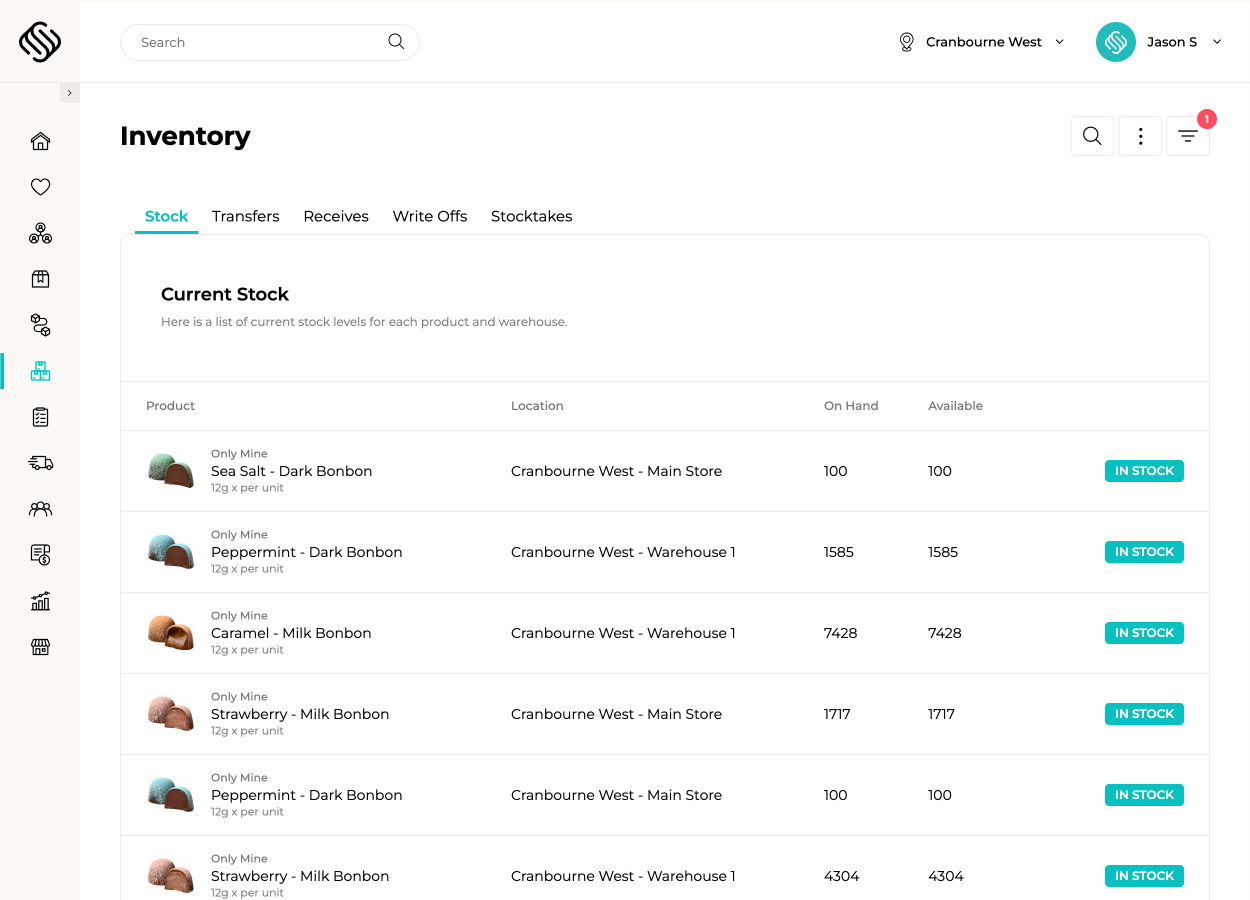
View case studyTrack inventory as it is received, stored, transferred, picked, packed, produced, written off and dispatched. Supply’d keeps warehouse activity connected with purchasing, sales orders, production and delivery, giving every team a reliable view of what stock is available and where it is held.

Receive products against purchase orders using a computer, tablet or supported PDA scanner. Capture quantities, supplier batches, expiry dates, costs and quality checks as stock arrives, then print product or batch labels before items are put away.
Manage stock across warehouses, stores, production areas and virtual locations with clear visibility over every movement. Assign products to specific bins, aisles, bays and shelves so staff know where stock belongs and where to find it when work begins.
Create and track transfers between warehouses, stores, production areas and other inventory locations. Staff can pick, dispatch and receive transferred stock while quantities, batches and expiry dates remain connected throughout the movement.
Guide warehouse staff through each order using product images, bin locations, quantities and barcode scanning. Supply’d supports single-order, cluster and product wave picking, FEFO or dynamic batch allocation, and two-step pick-and-pack workflows. Products and quantities can be confirmed again at the packing station before shipping labels are created and the order is dispatched.
Complete full stocktakes or rolling cycle counts using supported scanners and mobile devices. Count stock by location, bin, category or product while normal operations continue, helping your team maintain accurate inventory without shutting down the entire warehouse for ceremonial counting day.
Record expired, damaged, sampled or missing stock directly from the warehouse floor. Apply reason codes and retain the product, batch, location and cost of each adjustment so your team can identify where stock and margin are being lost.
Track supplier batches and expiry dates from receiving through storage, production, transfers, picking and fulfilment. Supply’d maintains a connected movement history for each batch, supporting FEFO rotation, faster recalls and clearer investigation when something goes wrong.

Explore how food manufacturers, bakeries, wholesalers and retailers use Supply’d ERP to run their operations.
Book a demo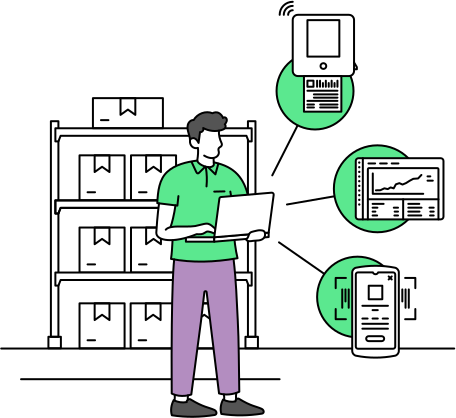
Use Supply’d across computers, tablets and supported PDA scanners, with connected barcode printers, label printers and scales helping staff complete work where it happens.
Supply’d ERP is built around the workflows food manufacturers, distributors and retailers rely on every day.
Supply’d is built around the way food and retail businesses actually operate. We combine deep industry understanding with connected technology to deliver warehouse management software that improves control, reduces manual work and connects teams across the operation.
Warehouse management software helps businesses manage receiving, inventory locations, picking, packing, stocktakes, transfers and stock movements in one connected workflow. Supply'd also connects warehouse activity with purchasing, production, sales orders, delivery and reporting.
Yes. Supply'd includes warehouse management functionality for receiving, bin locations, scanner-guided picking, packing, stocktakes, transfers, write-offs, batch tracking and fulfilment. Unlike a standalone WMS, these workflows remain connected with the wider ERP operation.
Yes. Supply'd can manage inventory across multiple warehouses, stores, production areas, departments and other physical or virtual stock locations within one connected platform.
Yes. Inventory is tracked by location so your team can see what stock is available at each warehouse, store, production area or virtual location.
Yes. Products can be assigned to bins, aisles, bays, shelves and other warehouse locations so staff know where stock belongs and where to find it during picking, stocktakes and transfers.
Yes. A product can be held across multiple bins or inventory locations, with quantities, batches and expiry dates tracked according to where the stock is stored.
Yes. Virtual locations can be used for stock in transit, quarantine, damaged goods, production staging or other operational requirements where inventory must remain visible but separate from available stock.
Yes. Products can be received against the original purchase order so your team can compare ordered and delivered quantities before inventory is updated.
Yes. Supported PDA scanners can be used to scan products, confirm quantities and capture receiving information while stock is being unloaded or put away.
Yes. Purchase orders can remain open when only part of the order has arrived, allowing outstanding quantities to be tracked until they are received or cancelled.
Yes. Receiving teams can record differences between what was ordered and what arrived, including shortages, excess quantities, substitutions and unexpected products.
Yes. Supplier batch numbers and expiry dates can be captured as stock arrives and followed through storage, production, transfers, picking and fulfilment.
Yes. Receiving workflows can include quality checks and operational records such as temperatures, condition checks, quantities and supporting notes before stock is accepted into inventory.
Yes. Product, batch, barcode and other operational labels can be generated from the information recorded during receiving and printed using supported label printers.
Yes. Inventory updates as products are received, transferred, produced, picked, packed, written off and otherwise moved through connected workflows.
Yes. Supply'd can show which warehouse, location and bin holds each product, along with the available quantity, batch and expiry information where applicable.
Yes. Guided picking can show staff the product, image, bin location, required quantity and barcode confirmation for each item on an order.
Yes. Supported scanners and mobile devices can guide staff through picking and confirm that the correct products, quantities and batches have been selected.
Yes. Staff can pick one customer order at a time using guided product, bin and quantity instructions.
Yes. Cluster picking allows staff to pick products for multiple orders during one warehouse journey while keeping each customer's items separated.
Yes. Orders can be picked by product, allowing orders to be fulfilled as product comes out of the oven or production line.
Yes. Picking workflows can use bin and warehouse location information to guide staff through a more efficient sequence and reduce unnecessary movement.
Yes. Supply'd can guide staff toward stock with the earliest expiry date first, helping food businesses reduce waste and maintain appropriate stock rotation.
Yes. Batch selection can be guided according to available inventory, expiry dates, customer requirements and the operational rules configured for the workflow.
Yes. Supply'd supports two-step pick-and-pack workflows where items are picked first and then checked again at a packing station before dispatch.
Yes. Packing staff can confirm products and quantities against the order, helping identify picking errors before the shipment leaves the warehouse.
Yes. Orders can be packed into cartons or pallets and tracked through the fulfilment and dispatch workflow according to the needs of the operation.
Yes. Shipping labels and fulfilment information can be generated through supported workflows and connected freight platforms.
Yes. Supply'd integrates with supported freight platforms including Shippit and Starshipit so order and shipping information can remain connected through dispatch.
Yes. Full stocktakes can be completed across a warehouse, location, category or selected group of products using supported devices.
Yes. Teams can count selected products, bins or warehouse areas on a rolling basis instead of waiting for a complete warehouse shutdown.
Yes. Supported scanners and mobile devices can be used to identify products, record quantities and count stock by location or bin.
Rolling and targeted stocktakes can be completed while other warehouse work continues, depending on the counting process and controls used by your operation.
Yes. Stock can be transferred between warehouses, stores, production areas and other inventory locations while quantities, batches and expiry dates remain connected throughout the movement.
Yes. Transfer workflows can include picking, dispatch and receiving stages so each location can confirm what was sent and what arrived.
Yes. Stock can be held in an in-transit or other virtual location so it remains visible between dispatch from one site and receipt at another.
Yes. Damaged, expired, missing, sampled or otherwise unusable stock can be written off against the relevant product, batch and location.
Yes. Reason codes can be used to identify why stock was adjusted or written off, helping teams report on waste, damage, expiry and other inventory losses.
Yes. Adjustments remain connected with the product, quantity, location, batch and inventory cost, helping the business understand where stock and margin are being lost.
Yes. Supplier and production batches can be tracked through receiving, inventory, production, transfers, picking, fulfilment and customer delivery.
Yes. Expiry dates can be recorded against batches and used throughout inventory visibility, stock rotation, picking and traceability workflows.
Yes. Supply'd can retain a connected history of receiving, transfers, production use, picking, fulfilment, write-offs and other stock movements.
Yes. Connected batch and movement records can help identify where affected stock came from, where it was used and which customers or locations received it.
Yes. Ingredients and packaging consumed in production remain connected with the resulting finished-product batches, supporting inventory accuracy and end-to-end traceability.
Supply'd can be used across computers, tablets and supported mobile devices. Warehouse operations may also use PDA scanners, tablet scanners, barcode printers, label printers, connected scales and packing-station devices.
Yes. Supply'd supports scanner-based workflows across receiving, stocktakes, transfers, picking, packing and other warehouse activities using supported devices.
Yes. Supply'd can generate supported product, batch, carton, pallet and shipping labels for printing through connected operational workflows.
Yes. User permissions can be configured so receiving, warehouse, production, packing and management teams only see and complete the tasks relevant to their role or location.
Yes. Supply'd can connect warehouses, production sites, retail stores, commissary kitchens and other inventory locations while maintaining central visibility over inventory and stock movements.
Yes. Supply'd is designed for food businesses managing batches, expiry dates, multiple locations, scanner workflows, production inventory, transfers, picking, packing and customer fulfilment within one connected system.